
My first real attempt at putting an AI agent on a website was a Shopify store that sold coffee gear. I was tired of waking up to a support inbox full of "where is my order?" at 2 a.m., so I wired a chatbot into the corner of every product page, fed it the policy PDF, and called it done. By morning it had cheerfully told a customer their missing grinder was "out for delivery" when the tracking page clearly said "label created, not yet shipped." That was my first lesson: a bot that answers confidently is not the same as a bot that answers correctly, and an AI Agent for Website: What It Does and How to Deploy One only earns its keep when you treat it like a new hire, not a magic box.
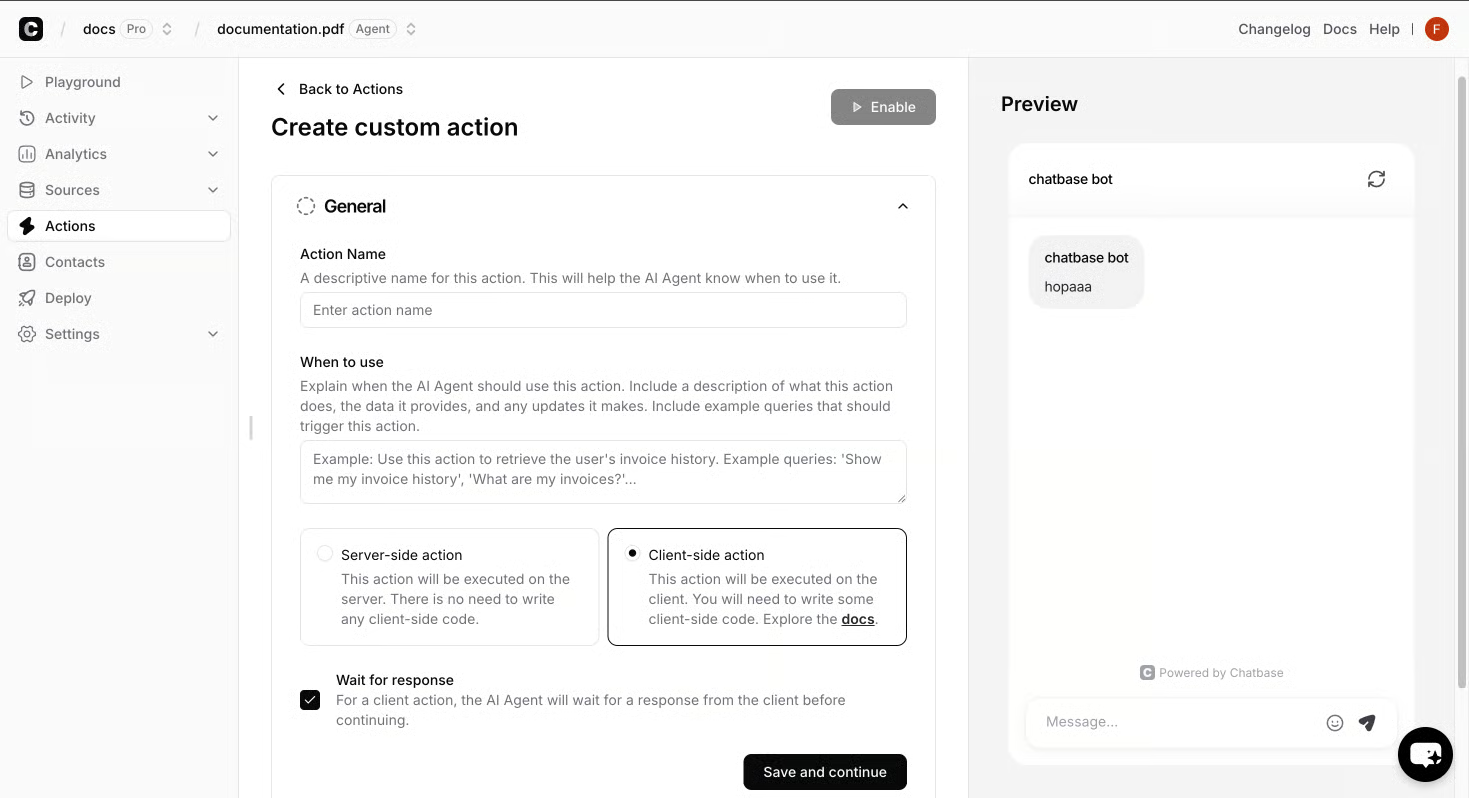
The thing I missed back then was scope. I had given the agent one job - answer anything - when what I should have done was pick the few jobs it could actually run well. The bot kept inventing tracking statuses because I never told it what not to say when it didn't know. I also never drew the line between "the AI replies" and "a human takes over," so every conversation tried to be a monologue instead of a handoff. The result was a support agent that sounded helpful and was, quietly, lying to customers at scale. That scene is the reason I now think of an AI Agent for Website: What It Is, How It Works, and How to Launch One as a teammate with a very specific job description, not a Swiss Army knife.
The second thing I got wrong was the training. I dumped a single PDF into the knowledge source and assumed the agent would figure out the rest. It did not. It conflated return windows with shipping windows, made up a warranty that didn't exist, and once offered a discount code from a campaign that had ended six months earlier. The fix wasn't a bigger model; it was better inputs and clearer guardrails - the kind of disciplined setup that separates a real launch from a demo, and the same ground covered in AI-Powered Agents in Digital Marketing: Deployment, Training, and Analytics. Once I started treating the knowledge source like a curated library, with canonical answers, escalation rules, and a short list of phrases it was allowed to say, the hallucinations dropped to almost nothing.
The third mistake was measurement. I never set a baseline, so when the agent "felt better," I had no way to prove it. I wasn't tracking containment rate, CSAT, or how many warm leads it handed off to a human who could actually close. I just watched the inbox get quieter and assumed I was winning. I wasn't. I was just losing visibility. That gap - between "the bot is talking" and "the bot is doing a job a human used to do" - is the whole game, and it's why the next step is naming the jobs I now trust the agent to run, not the jobs I wish it could.
An AI agent for a website is not a pop-up that chirps "How can I help you?" and hopes for the best. On the page it is a small piece of code that watches what a visitor is doing, reads from a knowledge source you control, and either answers, recommends, or hands the conversation to a human. Under the hood it pulls from your product catalog, your policy docs, your FAQ, and your CRM, then writes a reply that fits the moment - "you're on the shipping page, so here's the tracking status" or "you're comparing two plans, so here is the difference." That is the difference between a chatbot that talks and an agent that works a queue.
The clearest way I have heard it described is the lifecycle: build the agent from your data and a role definition, test it against real scenarios before it sees a customer, deploy it to the channels you actually use, then watch resolution rates and escalations to keep improving it. On the page that last step is what you feel - every unanswered question becomes an instruction tweak, every bad handoff becomes a new rule. That loop is the whole job, and it is why an AI Agent for Website: What It Is, How It Works, and How to Launch One reads less like a product brochure and more like an onboarding plan.
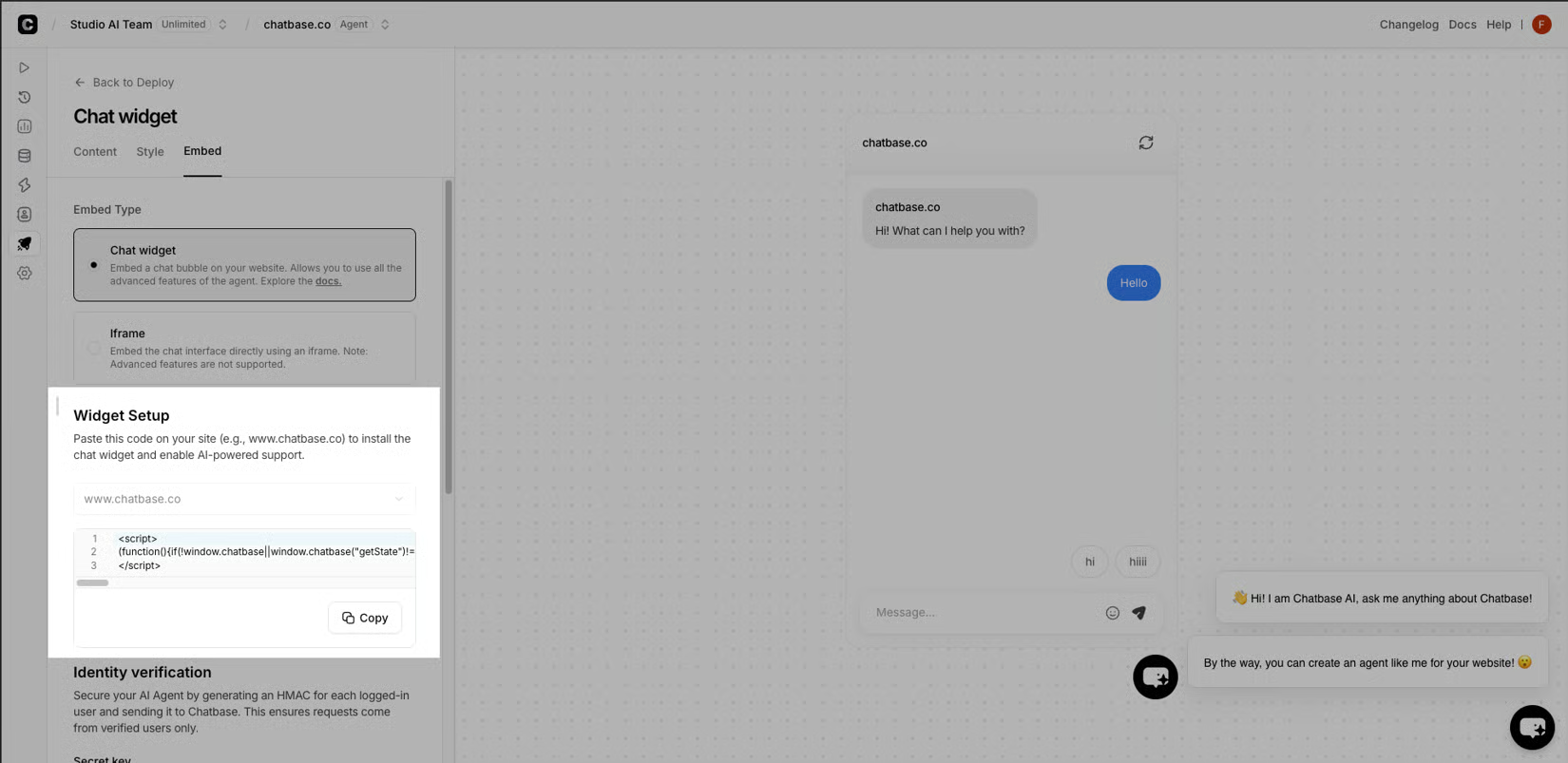
After that first Shopify disaster, I stopped asking the agent to do everything and started handing it three jobs I knew I could measure. The first is support deflection on the questions I could answer in my sleep - order status, return windows, "where's my invoice." The second is product recommendation on PDPs and category pages, where the agent reads the catalog and steers a stuck shopper toward the right variant instead of leaving them to bounce. The third, and the one I underestimated the longest, is warm-lead handoff from outbound campaigns: the agent drafts and qualifies, then a human closes. Everything else - "can you write me a poem about my cart" - I tell it to decline, and that narrow scope is what makes an AI Agent for Website: What It Does and How to Deploy One worth the spend instead of a demo.
Training an AI Agent So It Stops Confidently Making Things Up
Training is where the Shopify grinder incident finally stopped repeating itself. I went back to that knowledge source and rebuilt it like a small library I curated by hand: one canonical answer for returns, one for shipping, one for warranty, and one entry per campaign that was actually running right now. Next to that I wrote a short list of phrases it was allowed to say ("your order is in transit," "returns are accepted within 30 days") and a short list it was required to refuse ("I can offer a discount," "I can confirm delivery by tomorrow"). Hallucinations dropped to almost nothing.
Going live for me means picking two surfaces first - chat and email - and routing anything sensitive through identity checks before the agent is allowed to touch an order. That sequencing is the difference between a calm launch and a bad week.
On our outbound warm-lead campaign we set the agent to draft under an "AI Replies or Human Takeover" rule: it answers the easy questions and routes anything pricing- or demo-related to a human within seconds.
The scene I keep coming back to is the first Tuesday after launch, when a customer asked the chat to change the shipping address on an order that was already in transit. The agent didn't say yes and it didn't say no - it ran the order email and card last four against the CRM, then offered the two real options: reroute via the carrier if the window was still open, or hold for pickup at the local depot. No improvising, no promises it couldn't keep. That little identity gate is what turns an AI Agent for Website: What It Is, How It Works, and How to Launch One into something a support lead is willing to leave on overnight.
The other guardrail I refuse to skip is the escalation rule. Refunds over a set dollar amount, complaints, or requests to bend policy get handed to a human within seconds. I learned that one on a Friday.
Once the agent was live, the question that kept me up at night became "is it doing the work." I answer that with two numbers I check every Monday. Containment rate - the share of conversations the agent closes without a human touching them. CSAT on agent-handled threads, pulled from the post-chat survey, not inferred from silence.