
An AI agent for your website is software that lives on your pages, reads what a visitor is asking, and resolves that request end to end - answering questions, completing tasks, and handing off to a human only when the situation genuinely needs one. It is not a static FAQ widget or a scripted chatbot that follows a decision tree; it reasons over your own content and acts on it, the same way a well-trained support rep would, but at any hour and across every channel at once (Hello, world).
The agent is grounded in the material you choose to feed it: product catalogs, return and shipping policies, help-center articles, internal documentation, and structured data sources such as Notion or custom Q&A. From there it can resolve common jobs - order status, sizing and fit, subscription changes, booking inquiries, account updates - without a human typing a word. When a question goes beyond its scope, or a verified user action is required, the agent escalates to a person through the channel the visitor is already on: live chat, email, voice, Slack, WhatsApp, or a support platform such as Zendesk (Beyond Clicks: How Strategic Digital Marketing Drives Real Business Growth).
That blend of knowledge retrieval, action-taking, and human handoff is what separates an agent from a chatbot. A chatbot recognizes intent and picks a canned reply; an AI agent for website work understands the question, checks your systems, performs the next step, and reports back on the outcome. For a closer look at how this fits into a wider digital strategy, see AI-Powered Agents in Digital Marketing: Deployment, Training, and Analytics.
In e-commerce, this means a shopper who asks about a damaged order can get a replacement arranged in the same conversation, while a sales conversation can move from "is Pro worth it?" to a booked demo without a human joining. The pattern is the same in financial services, technology, and travel - a single agent handles the front of the journey and escalates only the cases that demand a person. For a deeper walkthrough of that broader scope, the AI Agent for Website: What It Is, How It Works, and How to Launch One guide covers it end to end (About).
The same agent can switch hats across support, sales, and product guidance without losing context. On an e-commerce site, that means answering sizing and shipping questions, processing returns, sending a replacement for a damaged order, and routing the rare case that needs a person to the right team. A retail agent trained on the catalog and policies keeps shoppers moving to checkout rather than abandoning the cart when a question stalls them.
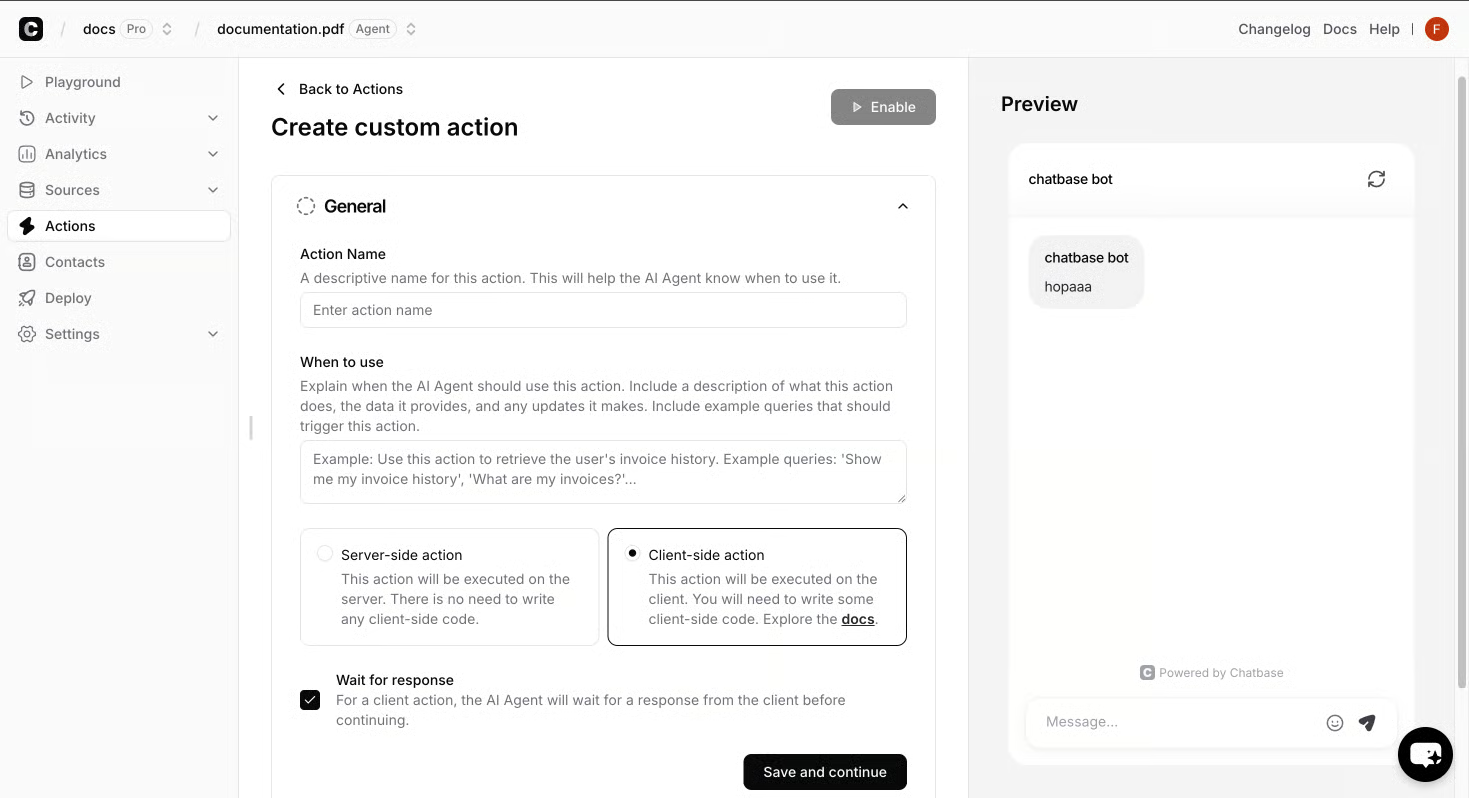
Sales conversations look different in shape but use the same building blocks. A visitor asking "is Pro worth it for my team?" gets a direct comparison grounded in the product documentation, followed by a booked demo through Calendly if interest holds. Product guidance agents work the same way for technology and travel sites: pull live availability, recommend a fit, and confirm the booking or subscription change in one thread. Across industries - financial services, travel, technology - the pattern is a single agent running the front of the journey and escalating only the cases that need a human.
That escalation is what keeps quality high. When a question goes beyond the agent's scope, or a verified user action is required, the conversation routes to a support rep through live chat, email, voice, Slack, or WhatsApp. A closer walkthrough of how that hybrid reply workflow plays out - automated responses for routine cases, human takeover for the rest - sits in the AI Agent for Website: What It Is, How It Works, and How to Launch One guide.
A website AI agent is only as useful as the material it has been taught. Training begins by pointing the agent at sources the team already trusts: product catalogs, return and shipping policies, help-center articles, and structured inputs such as Notion pages. From that grounding the agent pulls every answer from real content rather than improvising, which is how it can close out a damaged-order thread or a "is Pro worth it for a team of fifty?" pricing question without a human drafting a reply. Zendesk, Stripe, Calendly, and identity checks are wired in during this same preparation pass so a verified customer only sees their own orders or subscription details from the first reply (Why this typography has so much importance).
The same pass is also where guardrails are set. The team defines the agent's role, the brand voice, the procedures it should follow, and the topics it must escalate instead of answering. Retail operations typically anchor the agent on the catalog and return policy so a stalled question never costs a sale at checkout. Real customer scenarios are then run against the agent to validate tone and edge-case handling.
Once grounding, rules, and integrations are in place, the agent is ready to publish across chat, email, voice, and Slack in a single pass - turning weeks of build into a launch that fits inside a few working days. For a closer walkthrough of how that preparation fits the wider offer, the AI Agent for Website: What It Is, How It Works, and How to Launch One guide covers the full sequence end to end.
Connecting the agent to live chat, email, and voice
Once grounding and guardrails are in place, the agent publishes across live chat, email, voice, and Slack in a single pass. A single conversation can travel from a website widget to a phone call to a follow-up email without losing context, and the thread carries the visitor's identity, the question they asked, and any verification already performed. Channel-aware routing keeps transcripts in one place through Zendesk and Slack, so a live-chat case that needs a human drops into Zendesk with the full transcript, an inbound email reply arrives with the agent's draft and the source it pulled from, and voice calls follow the same pattern through a phone-integration layer that converts speech to text, runs it through the agent, and hands a summary to the rep when escalation triggers. Identity checks make sure the same verified customer sees their own order history whichever channel they switch to.
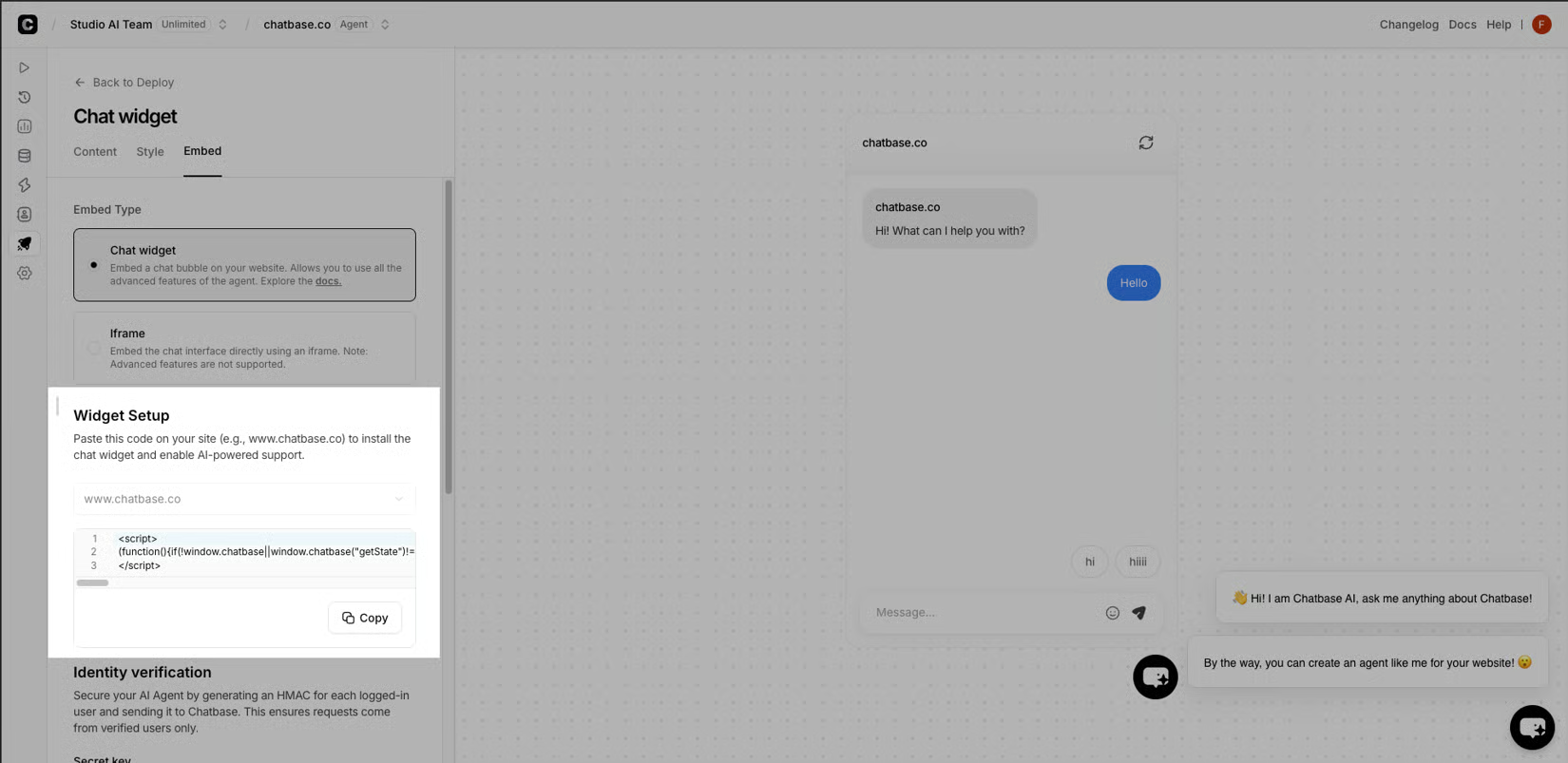
On voice, the agent authenticates the caller, looks up the order or subscription in real time, then either resolves the request or hands off to a rep with the transcript ready to read. Automated responses cover routine cases and human takeover covers the rest - the full channel sequence sits in the AI Agent for Website: What It Is, How It Works, and How to Launch One guide.
Integrating actions, systems, and human handoff
Once grounding and guardrails are set, the agent starts doing real work. Built-in actions let it book a Calendly meeting, fire a Slack alert, run a live web search, or capture a lead, while a Custom Action calls any API when a workflow demands it. Zendesk, Stripe, Calendly, and identity checks connect in the same pass so a verified customer sees only their own orders, and outputs feed the stack the team already runs: Zendesk for tickets, Stripe for billing, Slack for alerts, Zapier and ViaSocket for the rest. When a request falls outside scope - a disputed charge, a complex return, a sales conversation that needs a closer - the thread escalates through live chat, email, phone, or Slack with context carried over; the routing example the earlier section set up (a live-chat case that drops into Zendesk with the full transcript, an inbound email that arrives with the agent's draft and its source, a voice call that runs speech-to-text through the agent before a rep picks up) plays out here too, a pattern the AI Agent for Website: What It Is, How It Works, and How to Launch One guide unpacks end to end.
Maintenance keeps that loop honest. Quarterly source reviews, monthly checks of top failing conversations, and immediate updates when a policy, price, or SKU changes keep the agent aligned with the business, with production transcripts feeding the next round of fixes.