
An AI agent for a website is a software layer that sits on top of your pages and does more than chat. A basic chatbot follows a script, matches a few keywords, and either answers from a fixed FAQ or hands the visitor to a human. An AI agent for a website reads your real content, takes real actions in your stack, and resolves the visitor's task end to end. In the Chatbase framing, an agent "isn't just chat" - it can book meetings, send Slack alerts, update records, and push outcomes into tools like Zendesk, Stripe, WhatsApp, and Zapier.
That distinction is the whole reason the term exists. Where it appears on the page matters too. A website agent can live as a chat widget in the corner of a product page, as an embedded assistant inside an article or docs page, or as a full-funnel surface that greets visitors, qualifies them, recommends content or products, and routes them to checkout or a human. The widget form is the most common deployment, but the agent itself is the same object across all three - a configured set of instructions, knowledge sources, actions, and guardrails that anyone on your site can trigger.
The jobs it performs on a site fall into a few recurring patterns. It qualifies visitors by asking the questions your sales team would ask. It recommends products, plans, or content based on what the agent has read about your catalog or knowledge base. It captures leads into your CRM or email tool. It handles the long tail of FAQ traffic - shipping, returns, pricing, hours, policies - so your team doesn't have to. It assists with booking and checkout by surfacing availability, walking a shopper through sizing, or completing a transaction. And it follows up, sending outbound summaries or reminders across email and Slack when a conversation stalls. Those are the same jobs the AI Agent Playbook groups under support, sales, and product guidance (Why this typography has so much importance).
The lifecycle behind those jobs is the same in every deployment: build the agent from your data and instructions, test it against real scenarios, deploy it to the surface where visitors meet it, and optimize it from the conversations it actually has. Treating an AI agent for a website as that four-stage system - rather than as a clever chat box - is what separates a working deployment from a toy (Beyond Clicks: How Strategic Digital Marketing Drives Real Business Growth).
An AI agent for a website can sit on the page in several distinct surfaces, and the surface shapes the job it performs. The most common form is the chat widget anchored to the corner of a product or pricing page, where it greets visitors, answers questions, and hands off to a human when intent demands it. The widget is also the most visible surface, which is why it is usually what people picture when they hear "AI agent for website."
Beyond the widget, an AI agent for a website can be embedded directly inside an article or documentation page as an inline assistant that answers questions about the content the reader is already looking at. It can also live as a full-funnel surface on a landing page, where it greets the visitor, qualifies the lead, recommends content or products, and routes the visitor toward checkout, booking, or a human. The same configured agent - sources, instructions, actions, guardrails - powers all three placements; only the embed changes.
For a deeper walkthrough of the placement options and how each one maps to a funnel stage, see AI Agent for Website: What It Is, How It Works, and How to Launch One.
The work an AI agent for a website does on a page falls into a small set of recurring patterns. Qualification, recommendation, and lead capture cover the sales side. FAQ deflection and booking and checkout assist cover support and revenue. Follow-up covers everything that happens after the chat ends. Once the patterns are named they can be planned around, and the same agent can switch between them by changing its trigger without rebuilding its sources or instructions (About).
FAQ deflection is the job that pays the bills in support, and the booking and checkout assist pattern extends the same approach into revenue. Shipping windows, return policies, pricing tiers, store hours, and account changes arrive in high volume and rarely need a human - the agent reads those answers from your sources and resolves them in chat. Booking and checkout assist picks up where deflection leaves off: the agent surfaces availability, walks a shopper through sizing or configuration, and completes the transaction when the stack allows it, which is why the FAQ deflection and checkout assist patterns are usually the first two a team deploys. For a deeper look at the offer itself, see AI Agent for Website: What It Is, How It Works, and How to Launch One (Hello, world).
Follow-up is the pattern most teams forget, and it is the one that keeps the work from evaporating. When a conversation stalls - the visitor leaves, the chat times out, the question sits unanswered - the agent sends an outbound summary or reminder across email, WhatsApp, or Slack so the lead does not go cold.
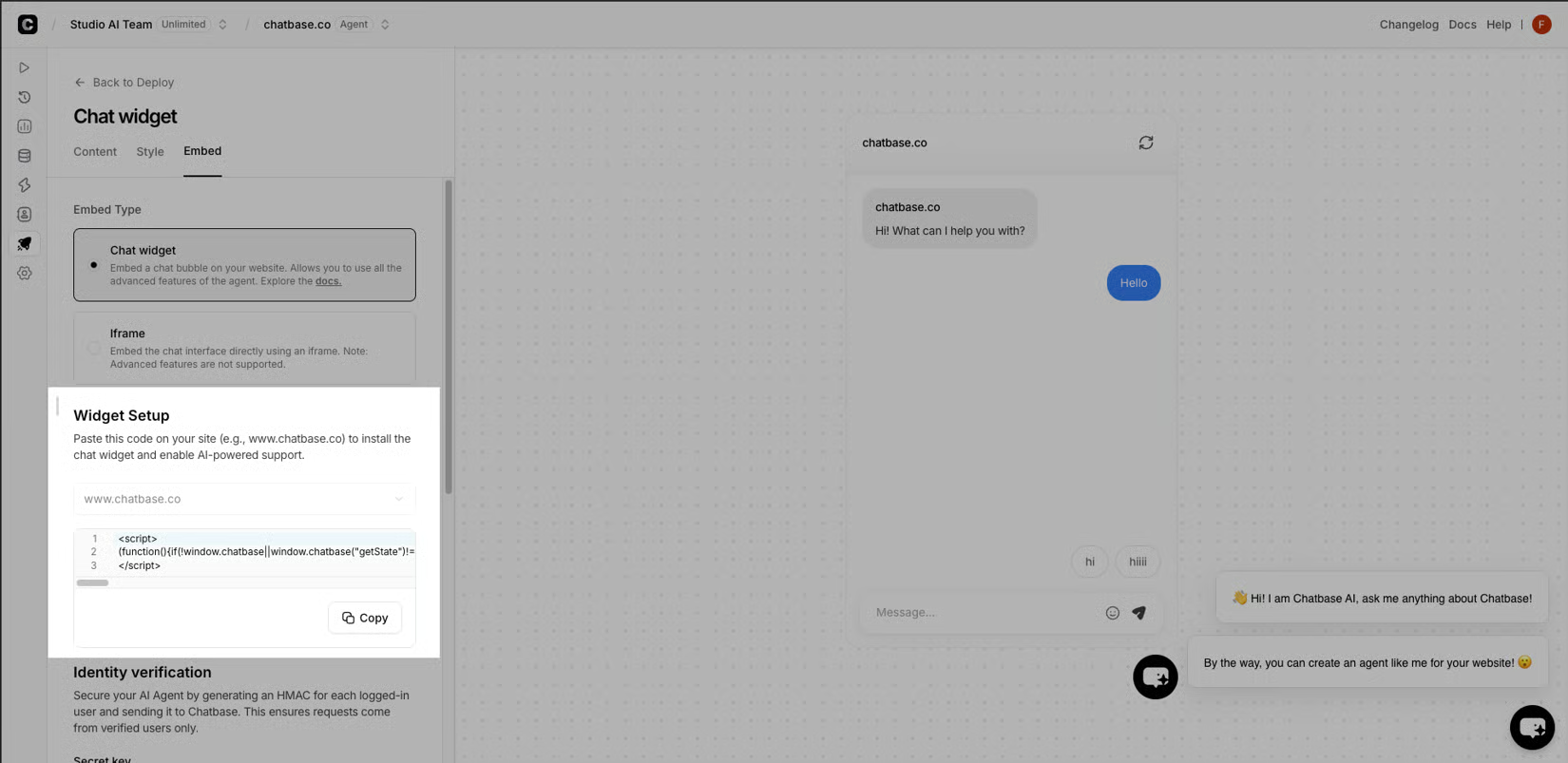
That same follow-up loop can re-engage an old lead, confirm a booking, or push a stalled cart back into motion, which is why the same six jobs power every deployment of an AI agent for a website.
What an AI agent for a website does beyond a chatbot
The Build, Test, Deploy, Optimize lifecycle behind every deployment
The lifecycle behind every deployment of an AI agent for a website is four stages - Build, Test, Deploy, Optimize - and the same building blocks power all four; only the configuration changes between them. In Build, Sources are connected, Instructions define tone and scope, Branding sets the wrapper, and Actions and Identity rules are chosen. In Test, the same blocks run against real customer scenarios to confirm accuracy and edge-case handling before anything goes live. In Deploy, the agent is published through Embeds and the API, and Integrations route outcomes into Zendesk, Stripe, WhatsApp, and Slack. In Optimize, Analytics closes the loop, feeding transcripts back into Sources and Instructions. Treating the agent as that lifecycle, rather than as a chat box, is what makes the deployment portable across surfaces, because a single edit to Sources or Instructions updates every placement at once.
Resolution is the unit the agent is measured on, and the handoff rule decides between resolved and escalated. The AI Replies or Human Takeover outbound campaign features let a team set that boundary by intent and topic, so routine questions resolve in chat and complex ones route to a human with the transcript attached. !AI Replies or Human Takeover outbound campaign features
For a walkthrough of how that lifecycle maps to a real launch - from the first configuration to the surfaces visitors meet - see AI Agent for Website: What It Is, How It Works, and How to Launch One.