
As a practitioner who has worked with AI agents, I can attest to their effectiveness in enhancing customer support on websites. AI agents can resolve complex support queries, answer product questions, and guide conversations toward revenue. They can be integrated with various tools and platforms to provide seamless support across multiple channels. One of the key benefits of AI agents is their ability to use a company's own data as their knowledge base, allowing them to provide personalized and accurate support. For example, AI agents for customer support can be trained to handle repetitive tickets and escalate complex cases.
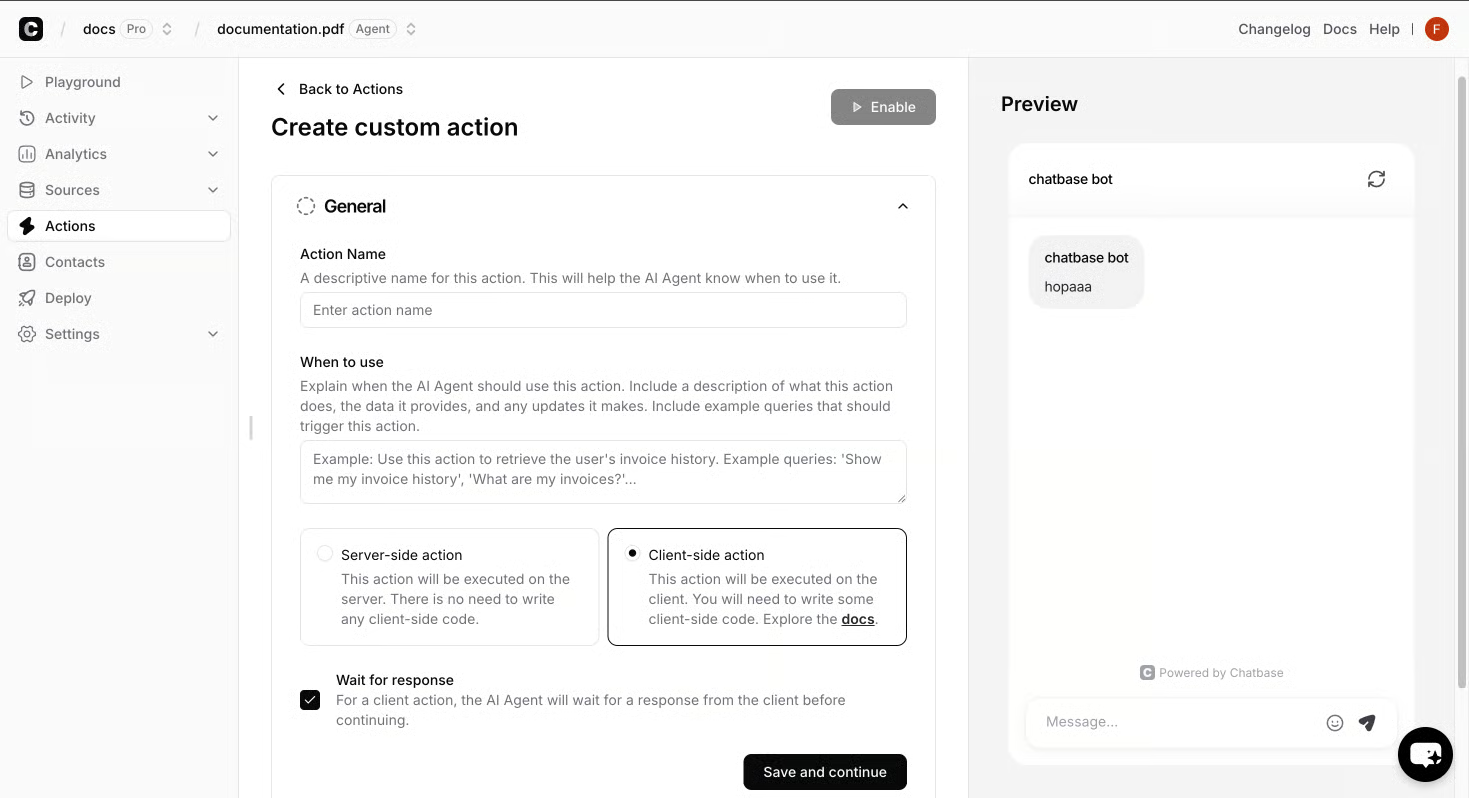
Training Your AI Agent for Effective Customer Support
To train your AI agent, start by connecting your data sources and defining the agent's role. You can use built-in AI actions or custom actions to integrate with your tools and platforms. For example, you can use Calendly to book meetings or Slack to send alerts. Next, test your agent with real customer scenarios to validate its accuracy and brand consistency. You can also use analytics to track resolution rates and refine your agent's instructions. When training your AI agent, consider the following best practices:
| Best Practice | Description |
|---|---|
| Use a combination of built-in and custom actions | Integrate with your tools and platforms |
| Test your agent with real customer scenarios | Validate its accuracy and brand consistency |
| Use analytics to track resolution rates | Refine your agent's instructions |
For more information on training an AI agent, see What an AI Agent on a Website Does, How to Train It, and What to Watch in Week One
Launching and Monitoring Your AI Agent
To launch your AI agent, start by testing it with real customer scenarios to validate its accuracy and brand consistency. You can use analytics to track resolution rates and refine your agent's instructions. Once you're satisfied with its performance, you can deploy it across chat, email, and voice channels with a single click. After launching your AI agent, it's essential to monitor its performance regularly. You can track key metrics such as resolution rates, conversation volume, and customer satisfaction. This will help you identify areas for improvement and make data-driven decisions to optimize your agent's performance.
| Best Practice | Description |
|---|---|
| Use a combination of built-in and custom actions | Integrate with your tools and platforms |
| Test your agent with real customer scenarios | Validate its accuracy and brand consistency |
| Use analytics to track resolution rates | Refine your agent's instructions |
By monitoring your AI agent's performance and making adjustments as needed, you can ensure that it continues to deliver exceptional customer support and improve your website's user experience.
Common Challenges and Lessons Learned
As a practitioner who has worked with AI agents, I've encountered several challenges when implementing and maintaining them. One common issue is ensuring that the AI agent is properly integrated with the company's existing systems and tools. This can be a complex process, especially when dealing with multiple channels such as chat, email, and voice. Another challenge is training the AI agent to handle a wide range of customer inquiries and requests. This requires a significant amount of data and testing to ensure that the agent can provide accurate and helpful responses. To overcome these challenges, it's essential to continually monitor and refine the agent's performance. This may involve refining its training data, updating its knowledge base, or tweaking its settings to better handle common customer inquiries. Some key lessons learned include:
- Regularly reviewing the agent's performance and making adjustments as needed
- Refining the agent's training data to improve its accuracy and effectiveness
- Updating the agent's knowledge base to ensure it has the most up-to-date information
- Tweaking the agent's settings to better handle common customer inquiries
When choosing an AI agent for your website, consider the features that matter most to your business. The following table compares key features:
Feature Description Channel support Does the AI agent support chat, email, and voice? Customization Can the AI agent be trained on your company's own data? Integration Does the AI agent integrate with your existing tools and platforms? Analytics Does the AI agent provide analytics to track resolution rates and customer satisfaction? By following these lessons learned and continually monitoring and refining the agent's performance, you can ensure that your AI agent provides exceptional customer support and improves your website's user experience.
As I reflect on my experience with AI agents for website customer support, I realize that the key to success lies in choosing the right agent, training it effectively, and continually monitoring its performance. By following best practices such as using a combination of built-in and custom actions, testing with real customer scenarios, and tracking resolution rates, businesses can deliver exceptional customer support and improve their website's user experience.