
Before I open a single pricing page, I write down what the agent has to do this quarter and what it can stay away from. That single step has killed more agent projects than any model upgrade. I actually have comes straight from the tickets and chat logs I already sit behind: returns and refund flows, damaged or late orders, sizing, pricing clarifications, shipping windows, lead capture, Calendly booking, and the occasional abandoned-cart nudge. If I cannot point at a current ticket category or a live metric for every job in that list, I cut it from the picking conversation and add it to a later phase. The agent lifecycle I follow starts there too: connect your sources, set guardrails, test, deploy, optimize. Three blunt questions anchor every vendor call I take after that. First, which jobs does the agent own end-to-end and which does it only route, because owning a return end-to-end looks nothing from owning a booking end-to-end. Second, where does the answer come from when it is right, and what does the human handoff look like when it is wrong. Third, which channels does it have to live on day one - chat on the site, WhatsApp, email, Slack - and which can wait for v2. The buckets falls into are clear once I write them down: support (return and refund flows, damaged or late orders, sizing), sales and product guidance (pricing, fit, plan comparison, the right SKU), lead capture and routing (contact details, Calendly, tagged for the rep), and re-engagement (abandoned carts, stale quotes, cold trials). I leave each bucket with a named source - the help center, the product feed, a Notion workspace of internal policies, a folder of past tickets - so training is not a scavenger hunt later. What the agent does not do well, at least not yet, is improvise. If the answer is not in the sources I trained it on, the agent either says it does not know or makes something up, and a one-agent rollout that handles chat, WhatsApp, email, and Slack from one place only widens the blast radius when it hallucinates. The whole picking-and-training arc that comes after this section exists to shrink that gap. The agent is only as useful as the content, guardrails, and escalation rules I give it, and the rest of the walkthrough is about getting those three things right.
Training the agent on your real content
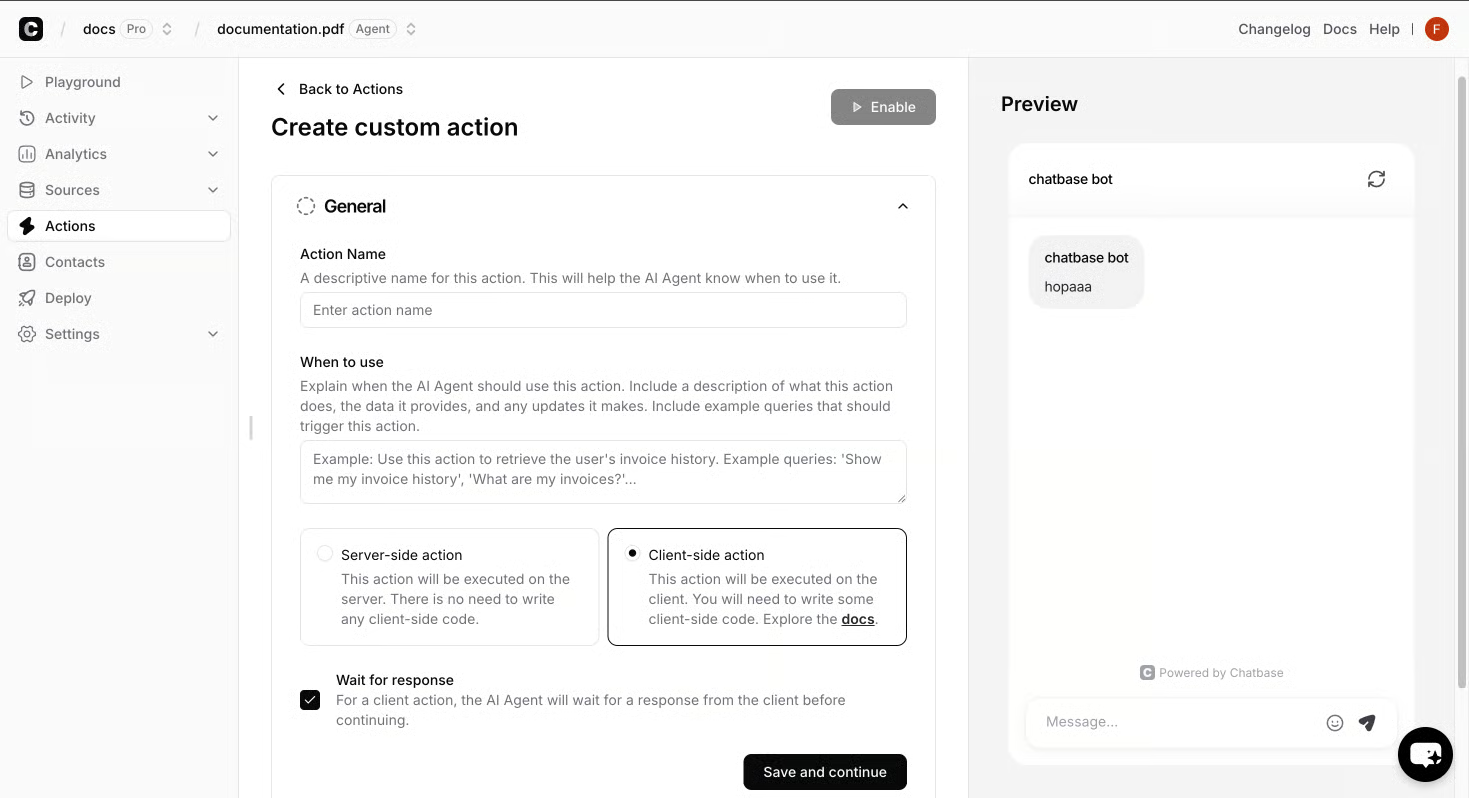
The training pass is where most projects go sideways. I learned this on a build for an outdoor gear retailer: the first version answered three out of five product questions fluently and stalled on the fifth, because the sources I pointed at were the public homepage and a product feed full of marketing copy. The return policy lived in a help-center article three clicks deep, so the agent had nothing to draw from when a customer asked about a late delivery. Training is not feeding it everything you have ever written. It is curating what the agent is allowed to draw from, writing the guardrails that keep it from improvising, and running the test transcripts that show you where the training is still lying to the customer. I start with sources. A typical build pulls from the help center, the product feed, a Notion workspace with internal policies, and a folder of past tickets. Files, websites, Notion pages, and custom Q&A pairs are all fair game. If the content lives somewhere, the agent should be able to read it. The mistake I see most often is pointing the agent at the full public site and walking away - the agent ends up trained on taglines, not on the return policy that actually lives three clicks deep. Then I wire the actions. Calendly for booking, Slack for alerts, Stripe for billing lookups, a lead-capture form for contact details, and a custom action that calls any API the stack exposes. Channels come next. A single agent publishes to chat, WhatsApp, email, and Slack from one place, so the same brain that handles a return question on the site can also pick up a billing email overnight. Guardrails are the part nobody enjoys writing and everybody needs. A real guardrail names the cases: do not promise a refund the policy does not cover, do not invent a shipping date, do not speak on legal or medical questions, do not collect a credit card in chat. "Hand off when confidence is low" is not a rule; a real one names the cases. I never push an agent live on the first build. I pull ten to fifteen past chats from Zendesk, anonymize the customer details, and feed the same questions to the agent in a sandbox. I am looking for the places it makes things up, gets the tone wrong, or refuses a question it should clearly handle.
- Run ten to fifteen real past transcripts through a sandbox and flag every wrong or made-up answer.
- Check tone against the persona the agent was given, not the one I imagined.
- Confirm handoff triggers fire for the cases I said must escalate, not the cases I hoped would.
- Read every "I don't know" and ask whether the source is really missing.
- Have a teammate try to break it before a real customer can. If the agent fails more than a small slice of the test set, I do not push it live. I fix the source, tighten the guardrail, and re-run. Going live with a known bad answer in the tank is the fastest way to burn the trust I spent the training phase earning, and the picking-to-going-live walkthrough in AI Agent for Website: Picking, Training, and Going Live Without the Guesswork is worth a read before you flip the switch. The first week live is its own kind of test. I watch the transcripts daily for the first five days to catch the pattern of failures. When the same question comes up wrong twice in a row, that is usually a missing source, not a bad model. I add it, retrain, and the next day the same visitor gets a real answer. I also leave the human handoff wide open for the first week, even on cases the agent handles well, because a single bad handoff in hour one costs more than a week of clean answers can recover. A guardrail that says "hand off when confidence is low" is not a rule; a real one names the cases. Mine read like a short list a new hire could act on. Do not promise a refund the policy does not cover. Do not invent a shipping date. Do not answer legal or medical questions. Do not collect a credit card in chat. If a request touches any of those, the agent hands the thread to a human and tells the customer why in one sentence. The agent lifecycle stage the Chatbase playbook calls Build is exactly this - connect your sources, define your agent's role, and set guardrails - and the guardrails only work when the cases are named out loud, not implied. Handoff rules need the same case-level specificity. "Escalate complex issues" is the kind of line that sends every other ticket to a human. Mine list the trigger conditions: the customer asks for a human, the policy says a human must approve, the agent's confidence score falls below the threshold I set in testing, or the question falls outside the sources the agent is trained on. Each trigger routes to a named queue - billing, returns, technical - with the transcript and the customer's last message attached, so the person picking it up is not reading cold. The handoff message itself is part of the guardrail. "Let me connect you with a teammate" is fine; "I am transferring you" with no context is not, because the customer does not know whether the agent failed or the policy triggered. I write the handoff copy the same week I write the guardrails, in the same voice as the rest of the agent, and it goes through the same test transcripts as every other string the agent speaks.