
The first builder I tried let me write a system prompt, paste a few URLs, and ship a widget in an afternoon. It sounded great until I asked it to look up an order in Stripe and it couldn't - no way to call my tools, no identity layer, no handoff path to a human. I learned the hard way that the builder is the product, not the model. The builder decides whether your agent can read your help center, take a real action, and admit when it doesn't know.
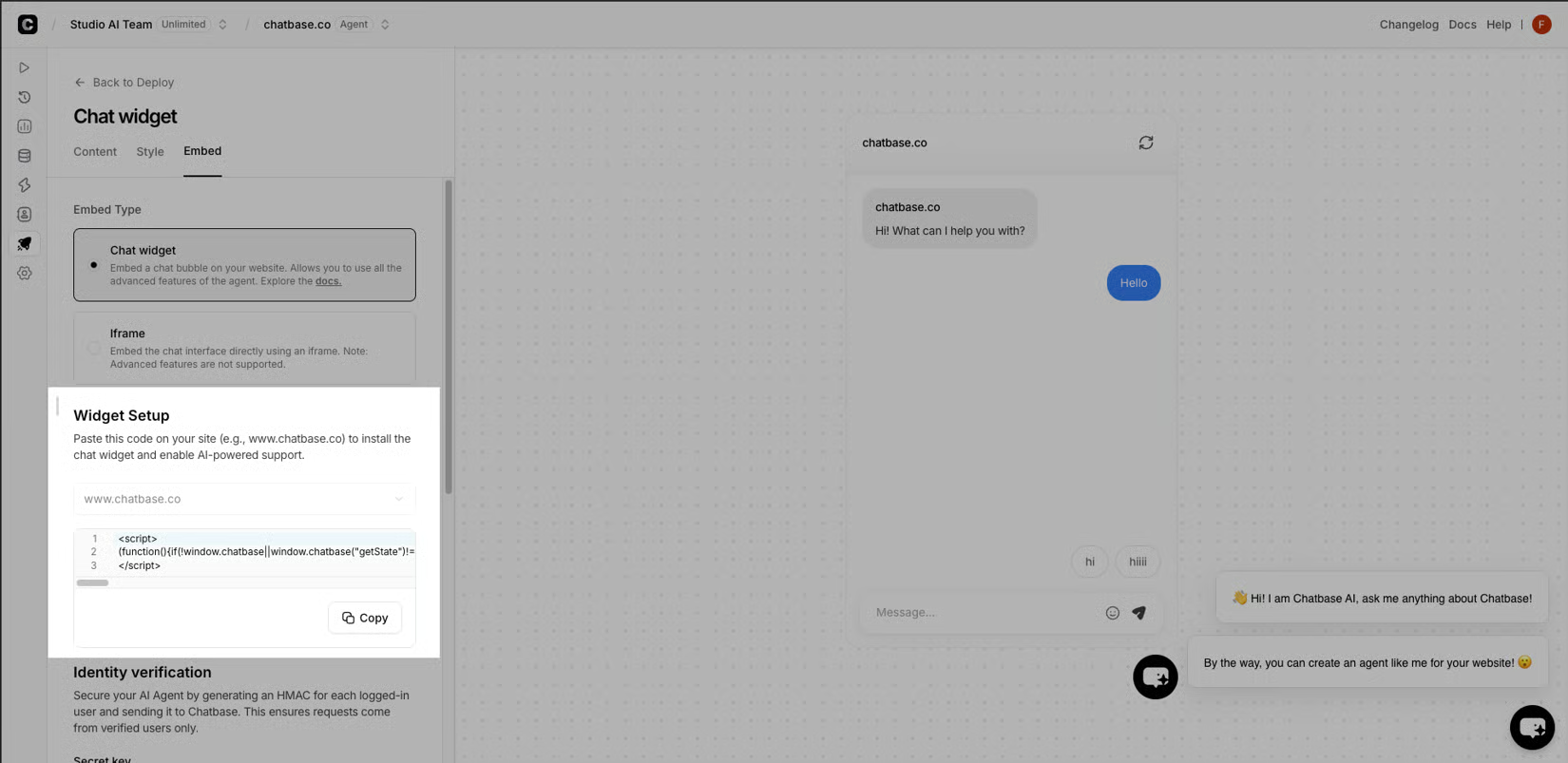
- Knowledge sources that accept files, URLs, Notion pages, and custom Q&A, plus actions and identity - built-in integrations like Calendly, Slack, Web Search, and Collect Leads, a Custom Action that calls any API endpoint, and a verified-email layer so a real customer can pull their own invoice and a stranger cannot.
- Embed and a test loop - a website widget for the obvious case, a custom UI when the chat lives inside the product, an API for the rest, and a rehearsal pass that runs real customer scenarios before the widget goes live.
- Analytics that surface topics, sentiment, and escalations so I can see what is breaking, not just a deflection number. A builder that skips any of those is just a fancier FAQ.
The walk-through of putting an AI agent on your website is the version I wish I'd read before I picked my first one.
I now treat training as a three-corpus job
The single biggest mistake I made on the first build was treating the knowledge step like an upload. I pointed the agent at our help center URL, watched the indexer chew on it, and assumed we were done. Within an hour of testing it, the agent had invented a return window that didn't exist, because a blog post from two years ago mentioned a holiday exception and the agent stitched it onto the current policy. The fix wasn't a better prompt - it was a better corpus. I went back through every page I wanted it to know, killed the stale ones, and added the few custom Q&A pairs I wish our help docs had. I now treat training as a three-corpus job, not one upload:
- Authoritative sources - the current help center, the policy page, the product specs. Anything older than a year I rewrite or cut.
- Custom Q&A - the ten to twenty questions real customers ask in a week, written as Q&A pairs in the builder's own field. The return window, the shipping cutoff, and the final-sale carve-outs live here, in our words.
- Test scenarios - the customer scenes from my notebook, pasted in as the cases the agent must pass before I let it near real traffic. The system prompt then becomes short and honest: greet, ask for the order number on a return, answer from the sources, escalate when the order is past the window or the product is final-sale. That last clause is the one I underline.
I wired the two together in an afternoon
The agent that only talks is a chatbot. The one that pulls an order, books a slot, and hands off mid-thread is real AI agent work. I wired the two together in an afternoon, and that hour changed what the widget could actually do. The first thing I added was a Stripe lookup step behind a verified-email gate - a customer past the return window hits escalation, a verified customer with a real order gets their status. Then I dropped a Calendly step so the same conversation could book a fit call without the customer ever leaving the widget, and a Slack ping so a real human saw the thread the moment the agent decided it was out of its depth.
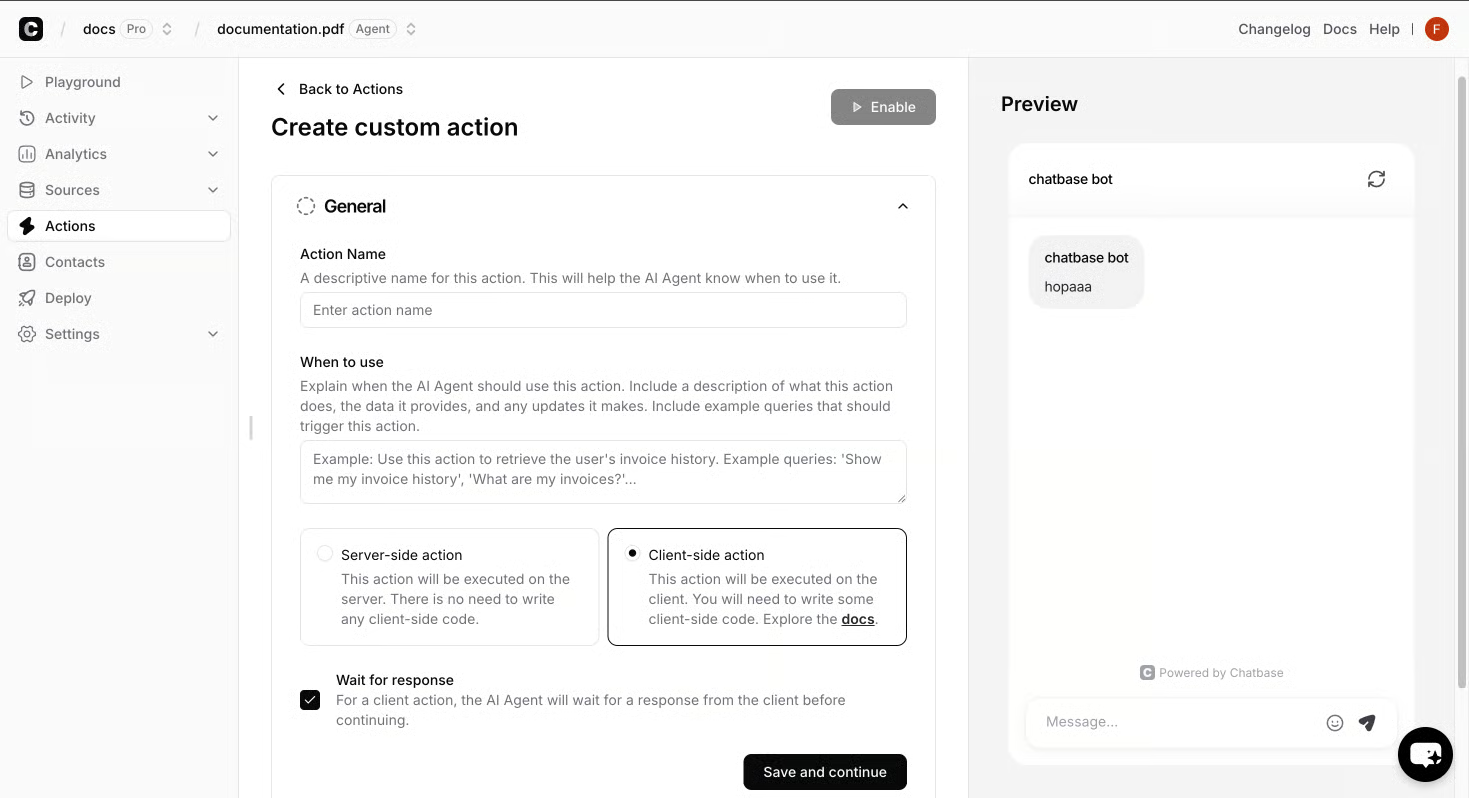
- Order number, pulled from the verified customer's record.
- Topic tag, one of a small fixed list so the human can route fast.
- Last agent message, copied verbatim so the customer does not retype themselves.
- Reason code, a short string the builder fills when the escalation rule fires. The walk-through of putting an AI agent on your website walks that same packet through where it usually breaks: when the order number is missing, when the topic tag is free text, when the last agent message is paraphrased instead of copied. Wire those four fields and the human side stops guessing.
I shipped the widget to ten percent of traffic on a Tuesday, then sat with the analytics tab open for the rest of the week. The first chart I watched was deflection - what fraction of chats the agent closed without ever paging a human. It climbed every day, which felt like progress, until I noticed the fallback rate climbing with it. On Thursday I reran my notebook scenarios and watched two fail: the past-window return and the final-sale carve-out. I shortened the system prompt, dropped the cheerful framing line I'd borrowed from a marketing page, added one sentence that forced an explicit "I don't know" before any policy quote, and cut two stale blog posts from the corpus. By Saturday the fallback rate had dropped, the escalation log was full of clean handoffs with order numbers attached, and the notebook scene from that first night finally passed end to end. Watch the fallback chart; deflection will follow.