
An AI agent for your website is more than a chat widget. It greets every visitor, understands the question, answers from your own content, takes real actions in your tools, and hands off to a human only when the conversation calls for it. Where a traditional chatbot follows a script, a modern AI agent reads your data, decides what to do, and pushes outcomes into your stack - support tickets, CRM leads, calendar bookings, payments.
On a retail site, that looks like a shopper asking about sizing, shipping, or a return and getting it resolved inline, in your brand voice, without filing a ticket. The same agent can recover an abandoned cart, surface a relevant product, or capture a lead when the visitor is still on the page. For a services site, the agent qualifies prospects, answers pricing questions, and books a meeting on the right calendar slot. For a SaaS site, it walks users through onboarding, explains features, and escalates to support with full context attached.
Three jobs define the role. First, resolve - answer product, policy, and account questions from your knowledge base so visitors do not have to wait for a human. Second, act - qualify leads, collect contact details, book meetings through Calendly, send a Slack alert to sales, or open a Zendesk ticket when escalation is needed. Third, route - recognize when a question is sensitive, high-stakes, or outside the agent's scope and hand the visitor to a person with the full transcript attached.
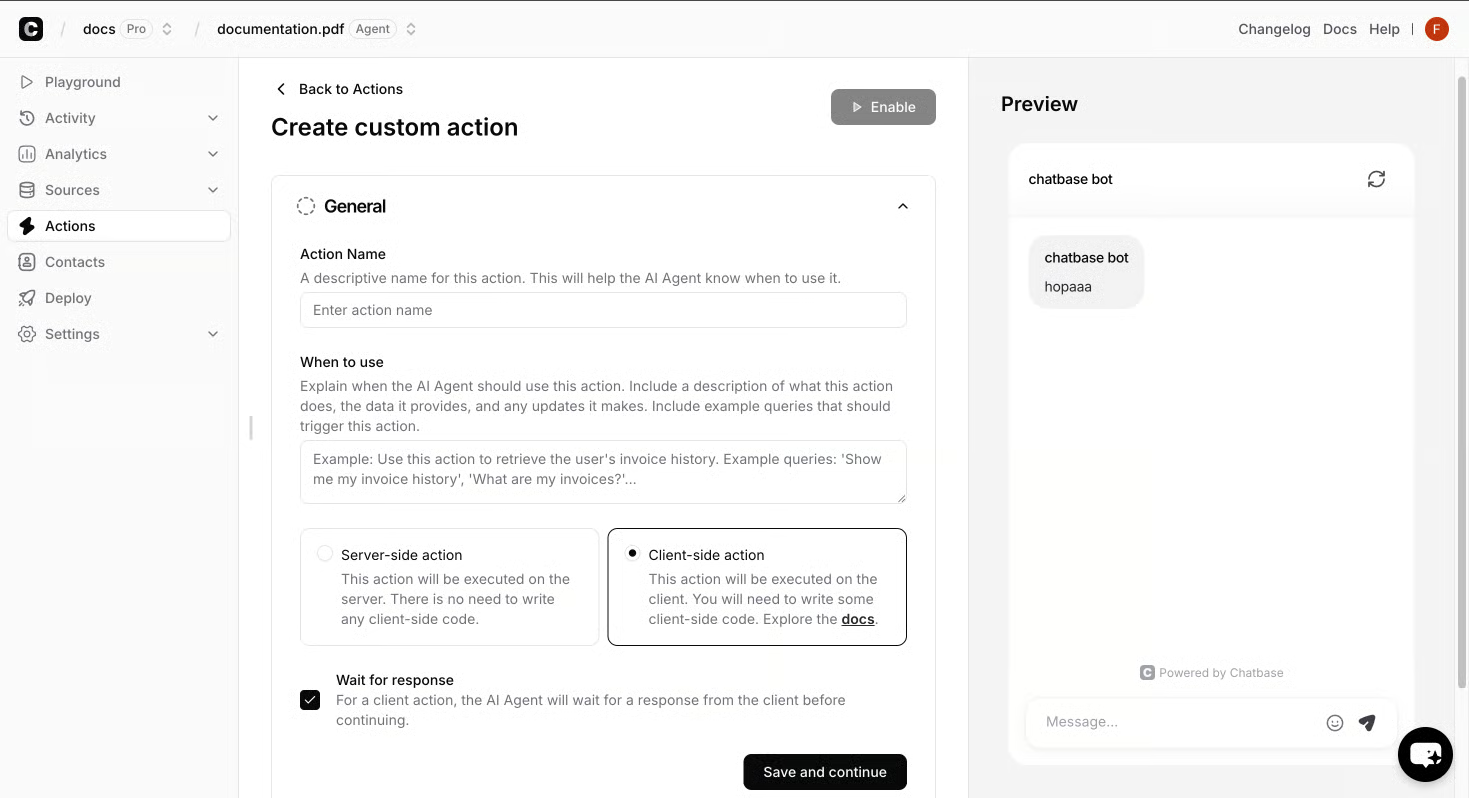
The mechanics that make this possible are specific. The agent is grounded in your sources - files, help center pages, Notion docs, and curated Q&A - so it answers only what you have published. Identity and Contacts let the agent personalize replies and safely act on a known user's data, like pulling a Stripe invoice. Analytics surface Topics, Sentiment, and resolution rates so you can see what the agent is actually handling and where it is falling back to your staff.
That is the difference between a chatbot and an agent. A chatbot talks. An agent reads your data, takes action in your tools, and feeds measurable results back to support, marketing, and sales - which is the whole reason teams put one on a website in the first place.
A Chatbase website agent is built from a small set of primitives that handle what visitors ask, what the agent does with the answer, and how the conversation shows up on your pages.
Sources are the agent's knowledge base. You connect files, websites, Notion docs, and custom Q&A so the agent answers only from material you have already approved.
Actions are what the agent does once it understands the visitor. Built-in Actions cover Calendly, Slack, Web Search, and Collect Leads. A Custom Action lets the agent call any API endpoint from inside the chat, which is how it books meetings, sends alerts, or updates a record.
Identity and Contacts let the agent personalize replies and safely act on a known user's data - pulling a Stripe invoice, for example - once the user has been verified.
Integrations are the systems the agent pushes outcomes into: Zendesk for support tickets, Stripe for billing, WhatsApp, Slack, Zapier, and ViaSocket for the rest of the stack.
Embeds and the API decide where the agent appears: a chat widget on the site, a custom UI, or direct API calls inside your product.
Analytics surface Topics, Sentiment, chat activity, and exports so you can see what the agent is handling and where it falls back to a human.
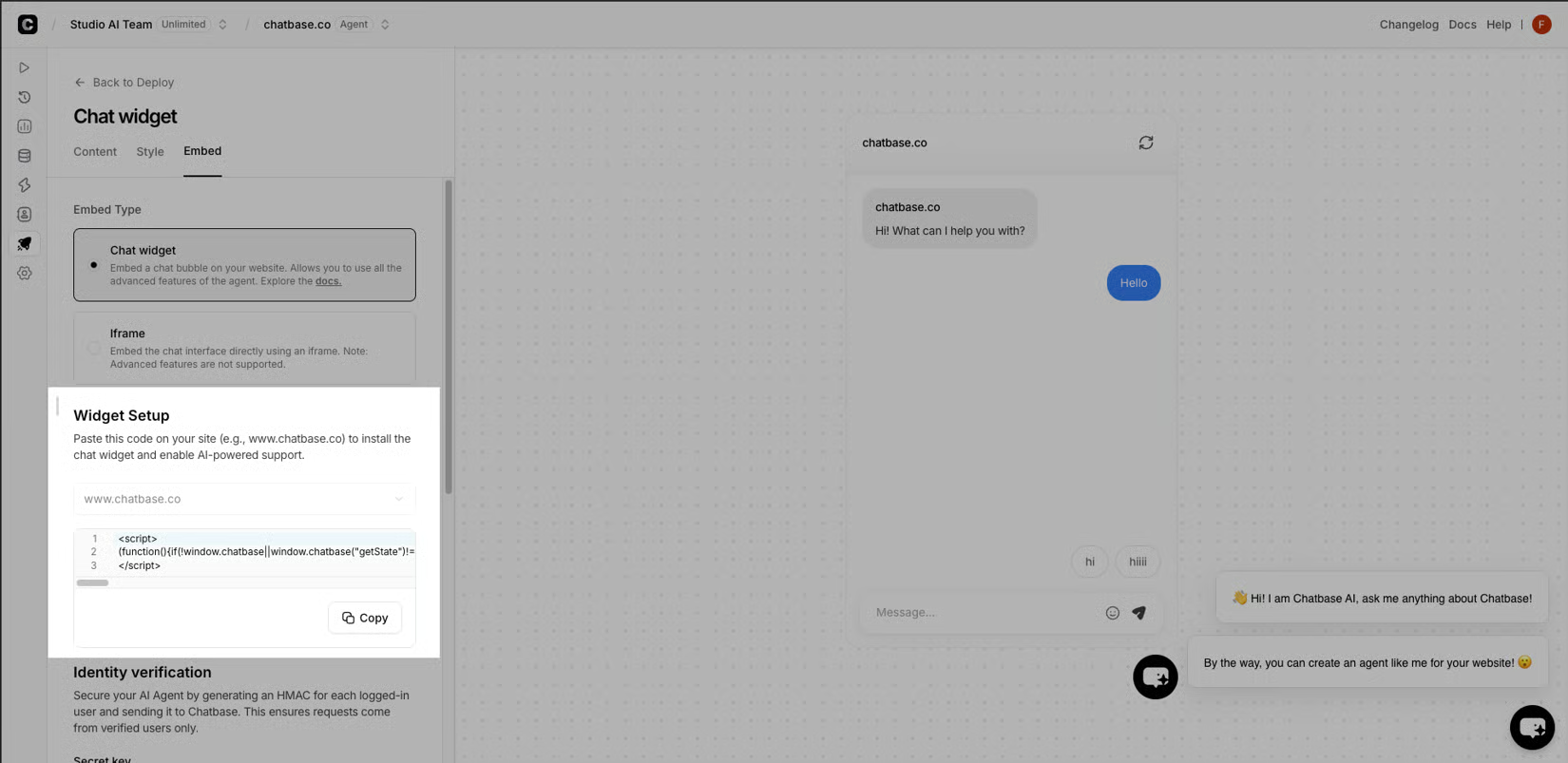
The two campaign features that change the economics of a website agent are AI Replies and Human Takeover. AI Replies let the agent respond to outbound campaign messages on your behalf in your brand voice, so a follow-up never sits unanswered. Human Takeover routes a thread to a person on your team - with the full transcript attached - the moment a conversation turns sensitive or high-stakes.
A website agent is not a one-time project. The teams that get the most out of one treat it as a four-stage lifecycle - build, test, deploy, optimize - repeated as the agent learns from real conversations.
Build starts with sources. You connect the knowledge you already trust - files, help center pages, Notion docs, and curated Q&A - and write instructions that set the agent's role, tone, and the guardrails it has to stay inside. No code is required at this stage.
Test is where you pressure it before visitors ever see it. You run real customer scenarios through the agent to validate accuracy, brand consistency, and how it handles the edges - the awkward phrasing, the multi-step request, the question it should not answer alone. This is also where you wire up actions such as Calendly, Slack, Web Search, Collect Leads, or a Custom Action against any API you already use.
Deploy is a single click across chat, WhatsApp, email, Slack, and voice, with the website embed sitting alongside those channels. Optimize closes the loop: you watch resolution rates, review escalations to humans, refine instructions, and let the agent improve with every conversation it handles.
That cycle is what turns a chat widget into a system the business relies on.
The same primitives travel with the agent. Because every industry is working from the same sources, actions, identity layer, and analytics, the agent that fits retail can be retuned for travel, financial services, or SaaS without rebuilding the stack underneath.