
An AI agent for your website is software that lives on your pages, reads what a visitor types, answers from your own content, and takes real actions on the visitor's behalf - booking a meeting, pulling an order, opening a ticket, or handing the conversation to a human when the question needs one. Where an old-school chat widget handed every visitor the same scripted menu, a website agent reasons over your sources, follows guardrails you set, and keeps working when your team is offline.
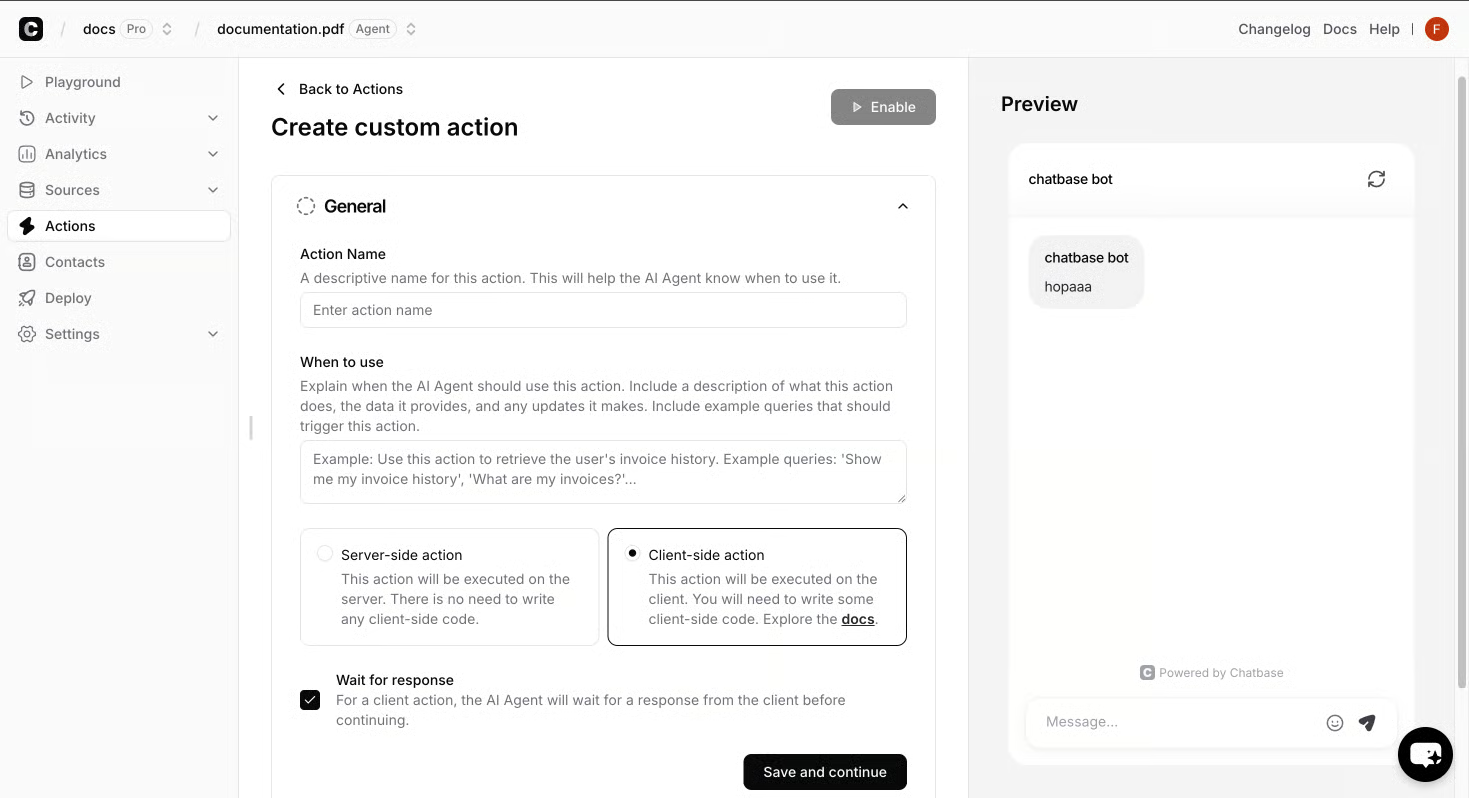
On a live site, that translates into a handful of jobs. The agent greets a visitor, understands the question, and answers from documents, help center articles, product catalogs, or policies you have connected. If the question is a qualified lead - pricing, a demo, sizing for an order - the agent captures the details and pushes them into your CRM or a Collect Leads action. If the request is sensitive, complex, or outside the agent's scope, it hands the conversation to a human in Zendesk, Slack, or email instead of guessing. While the visitor is chatting, an outbound campaign can trigger AI Replies or Human Takeover based on what the visitor does - for example, surfacing a sales follow-up after a pricing question, or paging a human the moment a known churn risk asks about cancellation.
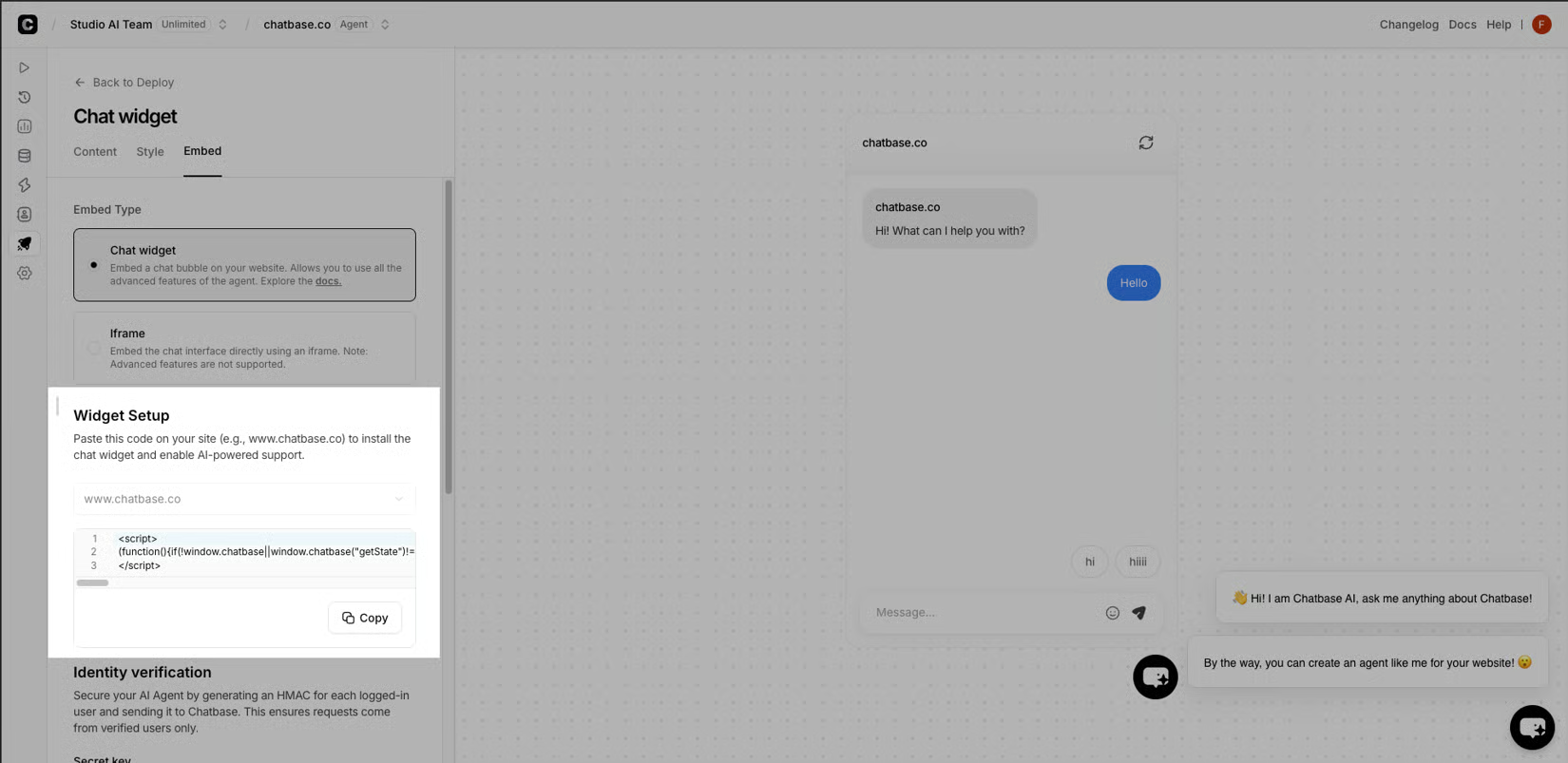
For the business, the result is a single conversational layer that runs support, sales, and product guidance on every page, around the clock. Visitors get instant answers grounded in your content instead of a contact form; your team gets fewer repetitive tickets and warmer leads; and every conversation feeds analytics on topics, sentiment, and resolution so you can see where the agent is winning and where it needs new instructions.
A website agent on Chatbase is assembled from three building blocks: Sources that ground every answer in your own content, Actions that let the agent do work on the visitor's behalf, and Integrations that connect the conversation to the tools your team already runs.
Sources are the knowledge base the agent reads from before it speaks. You connect files, websites, Notion pages, or a custom Q&A list, and the agent answers only from what you have provided. Actions are how it moves from answering to doing: built-in actions like Calendly, Slack, Web Search, and Collect Leads, plus a Custom Action that can call any API endpoint from inside the chat. Integrations are the wiring into your stack - Zendesk, Stripe, WhatsApp, Slack, Zapier, or ViaSocket - so a resolved chat can become a tagged ticket, a verified invoice pull, or a qualified lead.
Guardrails sit on top. Identity & Contacts lets the agent personalize replies and authorize account-specific actions for known users without exposing data it should not see. The agent's Instructions define its role, tone, and procedure - greet, request the order number, resolve or escalate - so every conversation follows the same playbook. Before the agent goes live, you run real customer scenarios in a Test stage to validate accuracy, brand consistency, and edge cases across every channel. Only then does Deploy publish the agent to chat, WhatsApp, email, and Slack with a single click.
| Building block | What it provides on a website | Example use on a visitor's session |
|---|---|---|
| Sources | Knowledge base grounding | Answers a sizing question from your product catalog |
| Actions | Real work in the chat | Books a Calendly demo, captures a lead, sends a Slack alert |
| Integrations | Hand-off to your stack | Opens a tagged Zendesk ticket for a complex refund |
| Identity & Contacts | Verified personalization | Pulls the right invoice for the logged-in customer |
| Instructions | Role, tone, procedure | Greets, asks for order ID, escalates when out of scope |
| Test & Deploy | Pre-live validation, one-click publish | Runs scenarios, then ships to chat and email |
After launch, Analytics tracks Topics, Sentiment, and chat activity so you can see where the agent is resolving on its own and where the Instructions or Sources need a refresh.
Where the website agent fits across chat, email, voice, and Slack
The same agent that greets a visitor in your on-site widget is the same agent your customer reaches by phone, in their inbox, or in a Slack DM. Chatbase publishes a single agent across chat, WhatsApp, email, Slack, and voice with one click, so the procedures, guardrails, and sources you defined in Test carry over to every channel instead of being rebuilt per surface.
In practice, that means a pricing question typed into the website widget, emailed overnight, or asked by voice follows the same playbook: greet, identify, answer from Sources, capture the lead, and escalate through the same hand-off rules. Channel-specific routing - Zendesk for complex refunds, Slack for an internal alert, email for an asynchronous follow-up - sits underneath the agent rather than around it.
For a visitor, the agent simply meets them on the channel they picked up. For the business, there is one set of Instructions, one identity model, and one set of analytics across every surface the agent runs on.
Industries already running a Chatbase website agent
Retail and e-commerce teams deploy a website agent trained on their catalog and policies so shoppers get sizing, shipping, and returns answered instantly and stay on the path to checkout. Travel and hospitality groups answer availability, rates, and check-in requests around the clock, connected to their PMS and booking engine. Financial services teams resolve lost cards, disputed charges, and account changes across every channel inside the guardrails they set. In technology, identity-verified agents are embedded in the product, docs, and Slack so users get help in-product instead of in a ticket queue. And in education, agencies like Thotis Media in France guide students through course decisions using AI agents grounded in official government data.
Build: connect your data sources, define the agent's role, and set guardrails - no code required, ready in minutes. Test: run real customer scenarios before going live, validating accuracy, brand consistency, and edge case handling across every channel. Deploy: publish to chat, WhatsApp, email, Slack, and more with a single click. Optimize: track resolution rates, review escalations, and refine Instructions so the agent improves with every conversation.
Teams running a Chatbase website agent track the same set of outcomes: response time that drops from hours to seconds, more tickets resolved on the first reply, more qualified leads captured per session, and fewer repetitive questions reaching a human - all visible in Analytics on Topics, Sentiment, and chat activity so the next round of Instructions and Sources is targeted to real conversations.