
What an AI agent for a website actually does
An AI agent for a website is a chat-based assistant embedded on a URL that reads your own content and replies to visitors in natural language. It is not the old rule-based widget that picks from a menu of buttons, and it is not a generic chatbot with a fixed script. The agent is grounded in the pages, help center articles, PDFs, and past tickets you point it at, then uses a large language model to compose a reply in your voice. The result is a conversational surface on the site that can answer real questions, take real actions, and know when to step aside for a person. For the foundational definition and launch path, the guide AI Agent for Website: What It Is, What It Does, and How to Launch One walks through the same scope teams use to put an agent live.
Sources, actions, and the handoff
Sources are where answers come from. The agent grounds every reply in website URLs that are crawled, help center articles, PDFs, Notion docs, custom Q&A pairs, and past support tickets the team has connected, all combined under a 100 KB training cap with auto-retrain and a "last trained" timestamp. A returning shopper who pings about a return window, a pricing tier, or an API rate limit gets a passage retrieved from the site's own content rather than an improvisation from open training data. The wiring of those sources is covered in How Digital Marketing Teams Use AI Agents to Scale Acquisition and Support, which shows the same stack on a live site.
Actions are where the agent stops answering and starts producing outcomes. Built-in actions cover Calendly for booking a demo, Slack for an internal alert, Web Search for questions the sources do not cover, and Collect Leads for capturing contact details from a warm conversation. A Custom Action calls any API endpoint, so checking an order status, filing a ticket, or updating a subscription happens inside the same thread instead of being passed off. The procedures attached to each action define the order, which keeps the agent on-script for high-stakes flows like refunds or account changes. The same trained agent can then ship across chat, WhatsApp, email, Slack, Meta apps, and voice, so the conversation stays continuous whether a visitor starts on the homepage and moves to a DM or opens an email reply and lands back in the same thread.
AI replies or a human takeover
The line between an AI reply and a human takeover is the most important behavior a website agent has. Routine questions about sizing, shipping, account settings, or pricing tiers are answered directly from the trained sources. Complaints, billing disputes, regulated requests, or anything the visitor explicitly asks to escalate pauses the agent and routes the conversation to a person through the helpdesk or inbox, carrying the transcript so the customer does not repeat themselves.
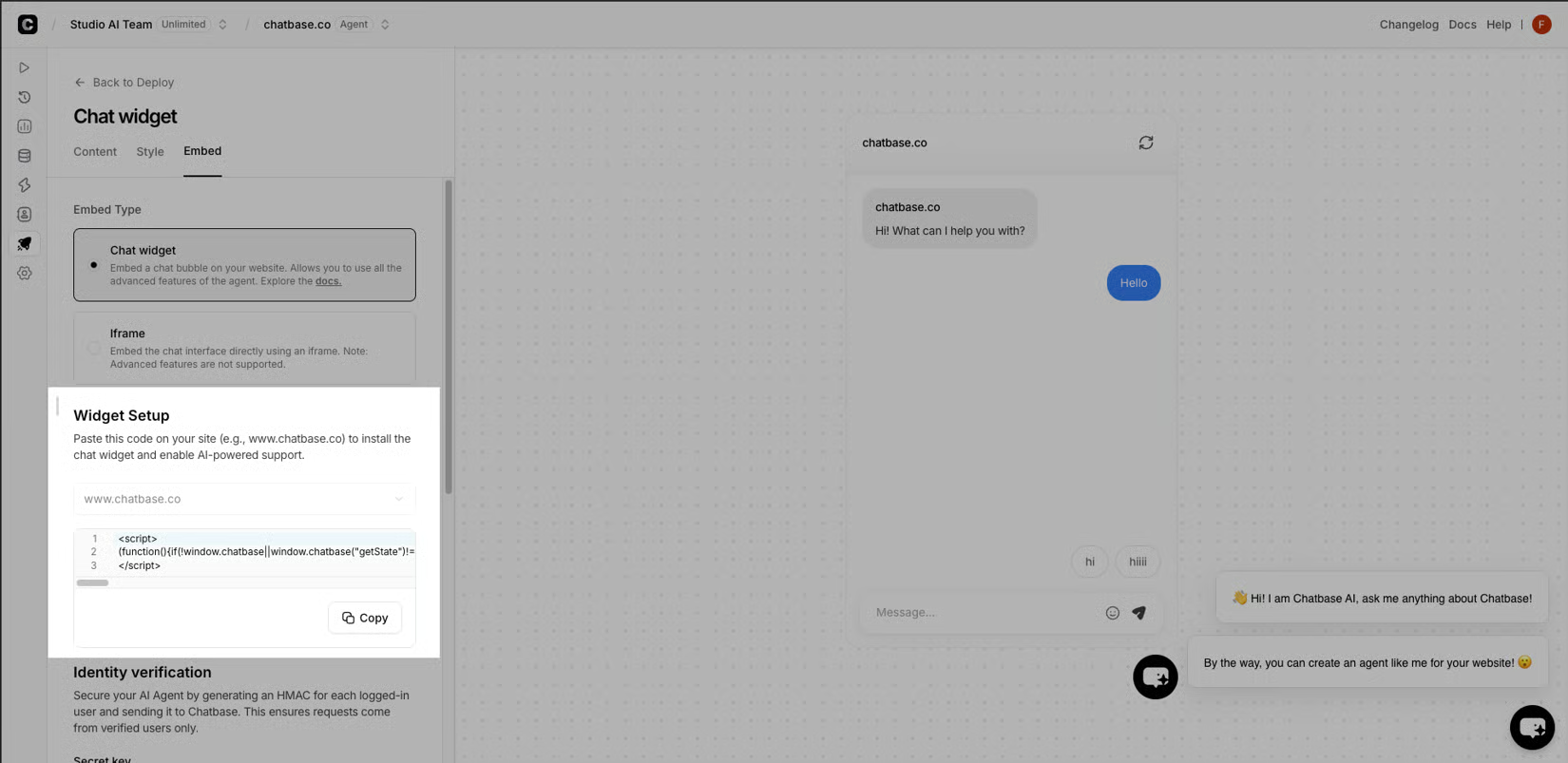
That same split runs on outbound campaigns, where the agent decides between an AI reply and a human takeover based on the rules the team configures. A shopper who replies to a shipping-update campaign gets a sourced answer in seconds; a shopper who replies to a damaged-order campaign gets routed to a support agent with the order context attached, which is the kind of handoff that turns a one-time buyer into a repeat customer, and it is the pattern How Chatbase Deployed AI Agents Across Ecommerce, Media, and Fintech: Customer Stories and Results traces across industries.
From training to launch: build, test, deploy, optimize
Build is the wiring stage. The team points the agent at website URLs, help center articles, PDFs, Notion pages, and custom Q&A pairs under a 100 KB training cap, then sets instructions, persona, tone, and the guardrails that decide between an AI reply and a human handoff. Test runs the same agent against real customer scenarios to validate accuracy, tone, and edge cases across chat, email, voice, Slack, and WhatsApp. Deploy publishes the trained agent across those same channels with a single click, and Optimize closes the loop by tracking resolution rates, reviewing escalations, and refining sources so the agent improves with every conversation. The deployment guide AI-Powered Agents in Digital Marketing: Deployment, Training, and Analytics walks through the same four stages on a live site.
| Stage | What happens | Output |
|---|---|---|
| Build | Connect sources, set instructions, persona, tone, and guardrails | Trained agent with a "last trained" timestamp |
| Test | Run real customer scenarios across every channel | Validated accuracy and edge case handling |
| Deploy | Publish across chat, email, voice, Slack, WhatsApp, Meta apps | Live agent on the site and connected channels |
| Optimize | Track resolution, review escalations, refine sources, retrain | Agent that improves with every conversation |